









About Me

   Bikram Agarwal
   Consultant Developer,
   T-Mobile USA,
   Seattle, WA

My Wishlist on Yahoo

Hit Enter to Subscribe

My Blogs

Vlog : Video Blog
 

RSS Feeds


Yeah, this is my play ground. Everything that comes to my mind - comes here as well. Issues that bother me, things that delight me, stories that move me; things that I've created - my views, my story. And of course, your opinion matters. So, read on.


My current obsessions | Thursday, March 06, 2008 |

Now a days, I'm obsessed with four things - Movie, Game, Serial and Internet. Well, guess everybody is obsessed with these to some extent. Let me tell you about what I'm doing these days.

Movies


Am downloading lots n lots of movies. On an average, I download 1+1/2 movies everyday. If you remember, last time I told you that I have 51 Downloaded movies. That was 2 months back. That number has doubled by now. So, I'm having a monstrous collection of movies now. So much so that I can watch 2 movies everyday for a long time. Oh, if you also want to download free movies - the 3 most advisable sites are - Amader Forum, Rapidshare Films and Mastiland. These sites provides all sorts of downloads [games, apps etc] besides movies.

[ Continued in Full Post ]

Games


Before this, the last time I played hi-def games in computer was back in 3rd yr of college. At that time, I was completely drowned in Prince of Persia - 'Warrior Within' and 'Two Thrones'. What I really liked about this game is - 'free form fighting', appealing storyline and great puzzles. It was unlike any other game. We two friends would play this whole day. But later on, my PC got old and it won't support the new breed of resource hungry games. So, I couldn't play the new games on my PC. Even a light-weight game like Max Payne 2 was running like a slug. So, I thought my gaming days are over.
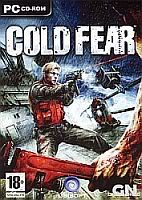
Cold FearBut ever since I got my new laptop, the dream has come alive again. Already installed some 3 games - NFS Carbon, Cold Fear and Quake 4. None of them are new. But still, for me, they are as I haven't played them. Am not playing much of NFS carbon as all u do there is race cars and evade cops. Only plus point is - the pursuits are tougher in this version than 'Most Wanted'. Cold Fear is boring after a certain amount of time due to its repeatative gameplay and non-linear structure. Am presently stuck at one level and don't know where to go to complete the current objective. The whole gameplay area is open and I may end-up in south end when I need to be on north end. Even walkthrough guides available are not helping. Installed Quake4 very recently. But am hugely disappointed. There's just no challenge in this game. Every enemy dies very easily. And if you don't wanna bother yourself, your co-marines will finish off them for you. Except for some areas, you can finish the game simply by moving from one place to another, while the co-marines clear the ground. Too boring.

Another couple of games that I have, but haven't installed yet - FEAR and Call of Duty 2, both again similarly old games. I have high expectations from F.E.A.R. The trailers were promising. I concluded Vista REALLY sucks while trying to install this game. Downloaded 'Virtual CD' today. Let's see if this works on Vista. Another game that I'm eagerly waiting for is Assassin's Creed. When it was launched, the PC version wasn't available. Only yesterday I got to know that now it is available. So, I'm gonna get myself the DVD this weekend.

Serials


Noooo, not the boring Sans-Bahu family sagas. What I'm talking about is - Prison Break. It is a great adventure / drama series. The story revolves around a man who was sentenced to death for murdering the brother of US Vice-President, a crime he did not commit and his brother's elaborate plan to help him escape his death sentence. The story is really fast-paced and gripping. Finished the 1st season just yesterday. Complete 2nd season is in my possession, while friends are still downloading the 3rd season. 4th season is in the making. The last US sitcom that I liked was FRIENDS. Some other sitcoms that I'd like to watch are OC, Lost, 24, Sarah Connor Chronicles.

Internet


After getting my laptop, I've been desperately looking for a good ISP. Okies speed won't work for me. I need at least 256 kbps working speed. But that's quite a rarity here. Add to that, there's a lot of confusion, what with so many available plans. I'm also juggling between a fixed Broadband connection and a wireless connection for laptop. Even after month-long brain storming, I haven't zeroed in on what I want to have. Totally confused. If you can provide me any guidance here, please do.

Okay. That's enough for the day. Let me get back to my obsessions. U have a great day. And, leave your views, suggestions, tips as comments.

Labels: ,


Read Full Post!
 

Vista REALLY sucks | Sunday, February 24, 2008 |

Ever since the launch of Windows Vista, I was trying hard to lay my hands on it. I looked for it everywhere; if anyone could give me the DVD. I was longing for it so much that I once considered downloading the ripped version from internet torrents. But before I do that, my prayers were answered and I got Vista with my new laptop. I was thrilled to bits. I was going through every bits n pieces of the Brand New OS. Looks are no-doubt amazing - though ripped from Apple Leopard OS. I was just mesmerized. People all over the world told me [through their blogs], that Vista Sucks, but I didn't pay even tiny fragment of attention to them. Thought it is just another round of Microsoft bashing. Little did I know that I'm gonna repent it later. It happened last night.

[ Continued in Full Post ]

Yesterday was my busiest weekend in recent times. The whole day was dedicated to my PC and entertainment pile-ups. Had brought couple dozen movies and games from a friend's PC. The day went by in subtitle matching, sorting, installing, testing n stuff. Then there was the game 'FEAR'. That is one game that I always wanted to play. But my desktop PC configuration wasn't able to support its requirement. But now, the laptop was. So, it was grand installation time. But the installer I brought is an .mdf file - DVD image. I need a DVD-drive emulator for this. Alchohol 120% was my first choice as it served me great purpose in my XP machine. So, ran the installer of Alchohol. And that's when all hell broke loose.

There was BSoD. There was this loud 'Ta Tu, Ta Tu' noise - as if the laptop is gonna explode. I was perplexed for a moment. 'Wha..... what just happened?' After recovering from the initial 'shock', I knew I had to restart the system. But how the hell do I do that? Where the hell do they place the 'restart' button on laptop? Nowhere. So....?? Power press the power button? That is, keep the power button pressed for 5+ seconds to force a system shutdown. That's what I did as there was no other option. Calm. But a storm was coming. Upon restart - the Vista won't go past the login screen. After feeding in the password and pressing enter, the BSoD was reappearing. Vista was Dead.

'Okkkkie... it's just BSoD. I've seen worse. I can fix this. Let's do it'. Went to Vista start-up menu for boot type options. But surprisingly, there wasn't any 'Last known good configuration' option there - which was always a life-saver in XP. STRIKE 1. Safe mode. That was my next bet. But when I clicked that, all I got was screen full of slow moving 'loaded' this and that driver text. This was really frustrating. For every new line of 'loaded \windows\system32\....' , all the previous lines were refreshed sequentially word by word. This was like writing 1st line, then writing 1st and 2nd line; then writing 1st, 2nd & 3rd line and so on. And the safe boot was going on like forever. Once the 'loading' finished, I was hoping - 'atlast'. But - alas. Once again - BSoD made a hysterical appearance. What ...!!! BSoD in safe mode. That was first for me. XP safe mode beat the s**t out of every BSoD and its siblings. STRIKE 2. Okay, there's system recovery. F11. That got me to the factory installed 'HP Recovery Console'. Ahhhh, 'Windows System Restore'. Now I'll just restore Vista to a date prior to the Alchohol installation and it'll be a happy ending to this mess. But, that wasn't meant to be - thanks to crappy Vista. Turns out - System restore was turned off by default. There were no restore points available. Salt to wound was - it was asking 'Do you want to create a restore point now. STRIKE3. That was the last nail in the coffin.

The last option I had was reseting the system, in the sense - reseting to factory default condition. That is, all that is added to the laptop after its purchase will be kapoot, as if it wasn't there ever. All my MP3, Video, Softwares, Games. * GAMES ...!!!. My 'Cold Fear'. 'Nahhiiiiii.' All those sleepless nights that I spent on crossing its levels and unlocking 'bonus' will become useless. 75% through the game, and now I'll have to play it AGGAIN.....!!! With no other option in hand, I bid a painful adieu to all my data and clicked on the 'Next' button. There were two check-boxes. 'Repartition hard drive' and 'Restore System'. 1st option itself sent my alarm bells ringing. All the hell I went through to partition my disk will come to naught. NOOoooo. Tried to uncheck this 'option'. But that wasn't an option. That was a task completed. Progress Bar was in progress. All other buttons were disabled. I was trapped.

After the brutal operation, the system rebooted and I kept my fingers crossed. Thankfully, this time the system logged me in and all was going just as it was when I had first opened the laptop out of its casing. Factory reset. I hoped against all possibilities and opened 'Computer'. And jumped couple of times out of sheer joy. There were 4 partitions, all those partitions that I had made. And all my files were also there. Not formatted. THANK GOD. I heaved a huge sigh of relief. But still, all installed softwares were useless now. They were nothing more than just folders. It was late night already. But who cares? My baby is just out of a trauma and I needed to take care of it immediately. So, I spent the whole night in re-installing all that was there before the crash. Slept at 5 AM atlast.

And woke up at 9AM. Not that I had set an alarm or something. Woke up due to noise all around and then didn't feel like going back to sleep. A lot more was still to be done. So, back to basics. But what the heck. Power is off. Why the heck they cut the power on weekends !! So, did a very little restorations before the battery cried for some juice. After that, am writing here. On room-mate's laptop. Something to do with computer until power comes back.

So, I was saying ke Vista sucks in more ways than already mentioned. A lot has been written about it all over the web space. As I said, I didn't pay them much attention. Seeing is believing. I used it myself and checked its pros and cons. Here are a few little things that seem pretty insignificant to start with, but add up to a mild headache when summed up. A quick list follows -
  • Both Windows Explorer and Internet Explorer are stripped of their Menu Bar. It's now very inconvenient to navigate. Tip - Pressing F10 key gets them back on for one time.

  • There's no 'Up' button in the explorer toolbar. :@ There's bread-crumb in place of address bar, which is good. But still, doing away with 'Up' button was uncalled for. Tip - Press Alt+Up Arrow to perform same action of 'Up' button, i.e., to go to parent directory.

  • There's no Window Text on the title bar of the window. In earlier versions, the name of the open window is always displayed on the titlebar. That really helps when working with multiple windows. But the genius people at Microsoft thought that was unnecessary.

  • File copying [or move/delete for that matter] is another pain. The name of the current file being copied is never displayed. When copying multiple files, knowing which file is done is very important for me. But, no way now.

  • It doesn't support some popular softwares - like Alchohol, Norton Partition Magic etc. That's how I had a hard time re-partitioning my factory made partitions. Windows Disk Manager now have partitioning options as well. But they have a mind of their own. Sometimes they work, sometime they don't. I couldn't shrink my 140GB C: partition beyond 70 GB due to 'lack of space', even though I had whole 120 GB free on that drive. After much R&D, I zeroed in on Paragon Partition Manager, which did a somewhat okies job.

But all's not bad with Vista. It's got the looks. Flip 3D is cool. Bread-Crumb navigation bar is nice. Start Menu search is mind-blowing. And I haven't really faced the 'slow' Vista. It works pretty moderately for me. I hope Microsoft fixes its errors [like, single point crash vulnerability] pretty soon.

Not that I'd have 'LOST' all my files and data. All these files are also present in my desktop. So, there's no data loss nightmare in this for me [this instance]. But even the file transfer from PC to laptop is quite hectic. Tires me out. That's what I was worried about.


Update : Turns out I didn't loss my 'Cold Fear' progress. When I ran the executable, the game launched and guess what? The load saved game option was available. All my past saved levels were available. That is magical. Anyway, I lost NFS Carbon progress. But that's not such a big deal, considering I had installed it just yesterday. :)

Labels: ,


Read Full Post!
 

Geek's dream come true | Monday, January 21, 2008 |

This is just a spar of the moment post. Actually, I've been thinking about writing something as it's been long. There've been some things that I could've written about. But, they were just that; pretty little insignificant things. But now that I'm quite charged after coming across one fact, I’m gonna put this all here.

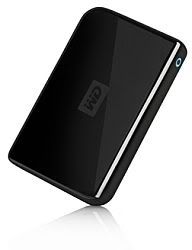
Ok, actually this weeks been something like a 'dreams coming true' week. Oh, not those love-struck bachelor dreams. I'm talking about geeky wishes. I've got myself a brand new 'Western Digital Passport' 160 GB portable hard-drive. That monster cost me 4.3 grands, thnx to 2% extra charges for payment through Credit Card. Anyway, I was prepared to sell out 4.6 grands, as that's what I read last about its price. So, I made a good purchase, what say? Oh, just so that you know, the 2 GB Transcend pen drive that I bought for a grand some 4 months back comes at a mere 450 bucks now. Talk about falling prices of computer hardware....!! Anyways, now the total disk-space of my PC is a whopping 320 GB; half of which I can carry around. Isn't that freaking awesome?

[ Continued in Full Post ]

This external HDD reminds me of the USB port of my system. I’ve been neglecting this for a long time; even though it was staring me in the eyes. I thought nothing could be wrong with my PC. After all, when I had bought it, it was the latest. Everything in it was the latest. But, in this fast [I mean, really fast] changing world of IT, my system became back-dated and I didn’t want to admit it. The fact that made me realize this was the USB port. It was taking too much time to copy data from my pen drive. E.g., 45 - 60 mins to copy the 2 GB. That’s one hell of a time. That’s when I unearthed that it’s a USB 1.1 port and not the USB 2.0 which I thought it was ever since I knew the term. Heart-breaking. Now that half of my PC disk-space is external, feeding on the USB power, this can’t be neglected. So, I got myself a PCI USB 2.0 hub with 4 external ports. There you go. Data transfer is pretty fast now.

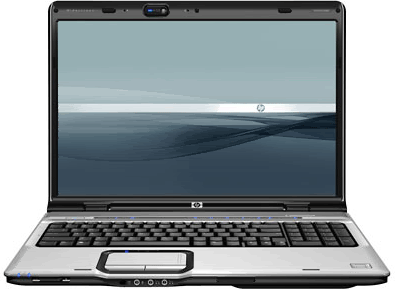
Oh, I believe that you’re aware of the other upgrades that I did on my PC some weekends back. If not, check this. Oh, you’re gonna love the speakers. So, my PC is back on track with the times. And, oh; I’m having another baby. I’ve ordered a new HP pavilion Entertainment notebook. The specs are -
  • Intel Core 2 Duo
  • 160 GB SATA HDD
  • SuperMulti Double layer DVD writer
  • 14.1 widescreen [wxga]
  • Bluetooth / WiFi / USB 2.0 / Modem
  • Altec Lansing speakers
  • Webcam / Mic
Not quite a gaming rig, but good for me. Looking eagerly forward to lay my hands on this beauty.

And finally, the fact that made me seat and write this post. 89% of my 40GB ‘Movies only’ partition is already full. That is, 34.6 GB of movies only [oh, including srt subtitle files, if u wanna count ‘em as well]. There are a total of 51 movies in that sucker. And that’s not all. This 51 is just a part of a huge collection, though off the hard-drive. I’ve got some 82 DVDs and 44 CDs with a total of 214 movies + the 51 on HDD. Do the math. Wow. Now that’s some dream come true; one hell lot of movies at my disposal. You know what’s the icing on the cake? That I didn’t have to pay a single penny for the 51 movies on my drive, though all of them are latest movies, in DVD print. Now try to beat that.

Labels: ,


Read Full Post!
 

All data - Lost | Monday, September 03, 2007 |

Every good thing invented for mankind has an evil side. 2 sides of same coin. Cellphone data synchronization is also one of them. How would U like all your contact informations wiped out of your cellphone memory...?? Specially if there's no back-up....?? That's a nightmare. And that's what happened to me yesterday, once again.
Actually, couple of months back I had performed one PC synchronization of my cell - thereby saving all my w810i contacts, notes, calendar etc on Outlook of PC. Later last week, I replaced the outlook.pst file of the outlook with the one I brought from my office PC. My intention was to get mails saved in my office's outlook on my home PC. That was done - but as the original outlook.pst file was overwritten, all the contact info n all were wiped out from outlook. I thought of populating it again on my next PC sync with cell. It was alright till then.

[ Continued in Full Post ]

I started the sync last night. When it finished - to my utter horror - all except 7 contacts were wiped out of my cell. :o And outlook contact book had exact those many same contacts. I couldn't believe and couldn't understand what had just happened.....!!! I restarted my cell, again removed memory card - battery - sim and restarted cell, restarted my PC - hoping for some miracle to get back all my contact data; but to no avail. I hadn't recovered from the shock when another thought struck me. I quickly checked my cell 'notes' and obviously - all notes were also erased. Rubbing salt on fresh wound. For a long moment - everything seemed crashing down. I had saved all my banking info - IDs, passwords, PINs - everything in notes. Now everything was gone. GONE. :k

I was going insane. How am I gonna get all these data back.....??? Again I'll have to collect the data from each and every individual, one by one. One grueling task. But why did it happen.....?? I checked my w810i sync manager application thoroughly. And then it dawned upon me how big an idiot I have been. There was this option in the sync manager - that if any data is deleted from outlook of PC, then the same data should also be deleted from the cell and vice versa. As all previous sync data had been erased from my home PC outlook when I had replaced the outlook.pst file, when I started the sync today - it marked all data in my cell as removed from PC outlook and hence removed them all from my cell also. The 7 contact details were spared as they were newly added after the last sync and hence were new from both my cell and outlook. So, this new data was copied onto outlook. Everything else was erased with no trace of them in either cell or outlook.

This realization that it's all my fault made me mad like anything. Wanted to kick myself. :@ WTF. Just then my old LG handset rang for an incoming SMS. "What d hell do YOU want now....?? " I grimaced. This cell is a unique one. On my last trip to Coorg - it got water clogged and just won't switch on. That was the 1st time that I experienced the horror of data loss. I bought this new w810i. A whole month later I realized that just the LG cell battery was damaged. The cell itself was running fine when connected to direct AC connection with the charger. So, it become kind of landline phone, though the RIM connection validity had expired and I won't reactivate it 'coz I now had a Hutch connection on my w810i. The LG handset remained plugged in to the AC power port with the charger - as my homage to my 1st cell. It was still receiving incoming SMSs, almost all of which were promo offers from RIM and Manhattan Card. That was it's only sign of being 'alive'.

So, when it again rang last night, instantly I was more angry. But within another fraction of second, I was jumping with joy. The contact numbers. They are still there in that old LG handset. Well, they were 4 month old numbers. Some of them are now non existent. But most are still active. Such a huge relief, I just can't put it in words. It's like Bill Gates becoming beggar and then again becoming Vijay Malya. Well, not to Bill Gates again 'coz I still didn't get back ALL my data. In last 4 months since I stopped using the LG handset - I had added many new contacts in my w810i cell. Those were lost. And notes of my banking info were not present in LG handset. So, will have to apply for all new IDs n Passwords n PINs et all - from all banks - all over again. And as U might know - these banking formalities are real pain in the neck.

What did U learn from my story so far...??? I'm not telling it to U just for time pass. Learn from my mistake. I was lucky to have an old cell come to my rescue. U might not get that lucky. So, take precautions. Always backup your important data. And before starting any sync activity, check for all the options that U've selected in the sync manager. Specially the 'Conflict Management' section, which involves deletion of data from cell or PC. Be on the safe side and save yourself from a hell lot of trouble. Take Care.

You should read the step by step guide of PC synchronization at my tech blog here.

Labels: ,


Read Full Post!
 

BlackBerry, w810i and LG 2630 | Thursday, July 26, 2007 |

My 1st BlackBerry
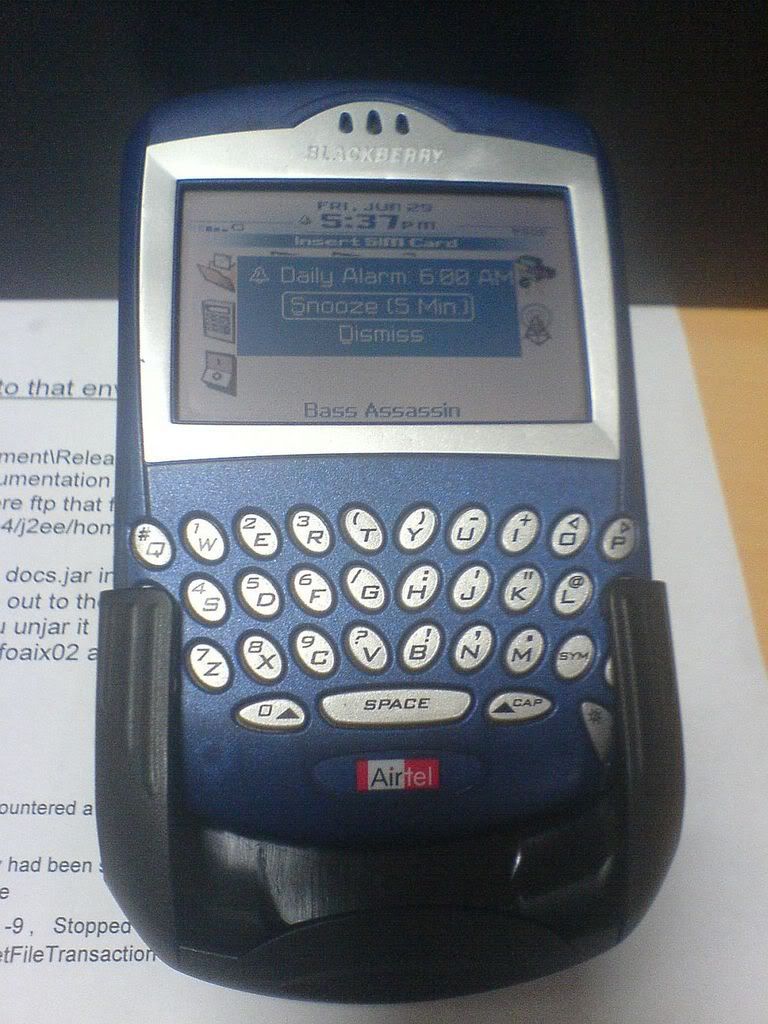
Yay . . I got my 1st BlackBerry yesterday. It felt really great to lay my hands on it. The sturdy, blue body - the giant display [ giant as compared to normal mobile handsets ], full QWERTY keypad - having it in my hand felt awesome. Add to that, the power of what it can do thrilled me to bits.

OK, I guess I'm sounding like a child who just got his 'Robocop' toy. But ya, that's the way it is. Just couple of months ago, I was using the simplest LG 2630 handset provided with my Reliance connection, with nothing but call n sms facility. That drowned and died in Coorg trip. Then I bought my current Sony Ericsson w810i.

[ Continued in Full Post ]

This was is the best thing that I ever bought from my own money. [ My PC was bought by dad ]. This handset has lots lots more than the last one - almost everything that I wanted. A good enough cam, Walkman player and FM, a 512 MB card that ensures that I never run out of space for more music. The extra stereo speakers bundled with it are just mind-blasting with its high bass. And even FM can be played in speaker mode. And I'm not talking about the handset speaker. Any speaker can be plugged into it's headphone port. Hence, when I go back home at the end of working day, I just connect my PC speakers to it and turn on the radio - which feels as if I'm having a WorldSpace radio in my room. The earphone, or earplug as it is called, is the best I've come across till now. It fits perfectly in my ears. Not like those wide disc headed earphones that keep pushing the boundaries and keeps falling out. And ofCourse, the look of w810i is just WOW. It turned out to be a good buy for my 12.7 grands.

But then, it's not flawless either. The default handset speaker is not that good. When I play the Walkman through the default speakers, the sound output is just Okayish, not good enough for a music enthusiast. I have to use the earplugs or the extra speakers for the THUMP. So much for it's "the Thump is HERE" claim.

I have to use the earplugs or the extra speakers for the THUMP. So much for it's "the Thump is HERE" claim.

Speaking of sound, the output from earpiece when you're on a call is also not satisfactory. I have to strain my ears to listen to what the person on the other side is saying. Hell is when you're in a noisy environ, say on road. Again, earplug is the option. It even has a few deficiencies as compared to LG 2630. For instance, to read next or previous msg in inbox, I have to go back to inbox and select next / prev msg and then 'View', whereas in LG handset, I can do the same from the msg window itself. i.e, when reading a msg, I could simply press 'right' button to read the next msg. And, with 810i, I can only set different ring-tones for different person, but not different msg tones, which was conveniently possible with LG 2630.

Well, those are the few highs and lows with the w810i. And if U ask me, whether I'm satisfied with w810i, I'll say YES. Even with its small few drawbacks, it's a good gadget to posses. I am no longer bored at the bus-stop, thnx to the FM and I can capture anything I like with the cam and share it real time. Like this news of BlackBerry. I just shot it with my w810i, uploaded it on my server and am now writing 'bout it. Feels like live reporting. And oh, about this BlackBerry. Don't look for a user review of it here 'coz I haven't used it yet. And it's not mine forever. :( It is given to me to check the process of mail forwarding from Lotus Notes to mobile email client. So, it's with me for couple of weeks. After that, it's Hasta La Vista. So, till then, let's rock with it. Meanwhile, lemme know which mobile handset do U think is the best. Cast your opinion below or leave a comment.


Labels: , , ,


Read Full Post!
top

Chat with me

Categories


Archives

Previous Items


genius @ play | version 4.2 | Created and maintained by Bikram Agarwal

Best viewed in Google Chrome at 1024x768 or higher resolution